# 프로젝트 관리

## **1. 프로젝트 저장**

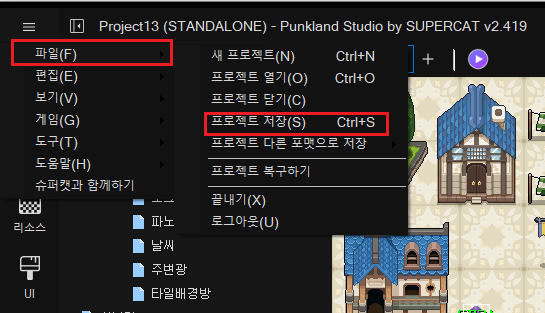
게임 제작 중에 일시 중단할 경우, 편집 중인 프로젝트를 저장하시고, 펑크랜드 스튜디오를 종료해야 합니다. 상단 메인 메뉴 \[파일]을 클릭하고, \[프로젝트 저장]\(혹은 \[프로젝트 저장] 아이콘)을 클릭하면, 편집중인 내용들을 저장 할 수 있습니다.

<figure><img src="/files/wtPSpMqlhJjU2nvvVOsa" alt=""><figcaption></figcaption></figure>

## **2. 프로젝트 열기**

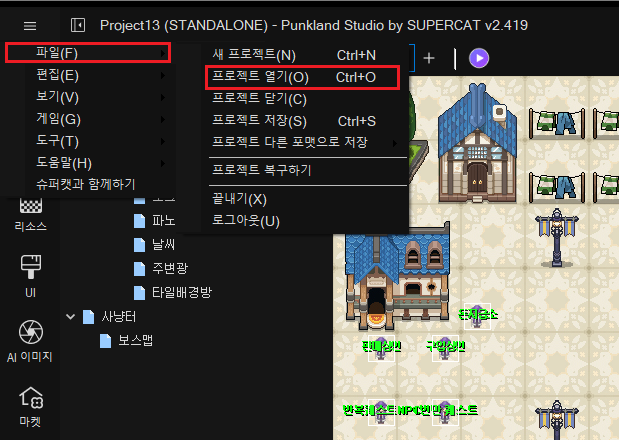
진행하던 프로젝트를 재개 하려면, 메인 메뉴 \[파일]을 클릭하고, \[프로젝트 열기]\(혹은 \[프로젝트 열기] 아이콘)를 클릭하고, 프로젝트를 선택한 후 열기를 클릭하면 됩니다.

<figure><img src="/files/9FLhJPliAyiDFALKkd05" alt=""><figcaption></figcaption></figure>

## **3. 프로젝트 닫기**

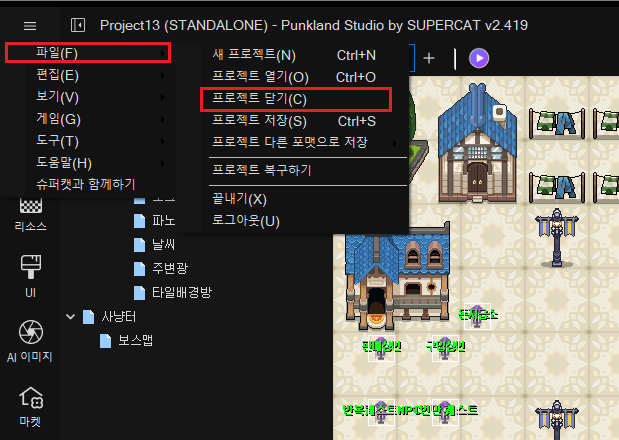
프로젝트를 닫으려면, 메인 메뉴에서 \[파일]을 클릭하고, \[프로젝트 닫기]를 클릭하면, 프로젝트를 닫을수 있습니다.

<figure><img src="/files/PssSXAHcLCQSsSQbZwAy" alt=""><figcaption></figcaption></figure>

## **4. 펑크랜드 스튜디오 종료하기**

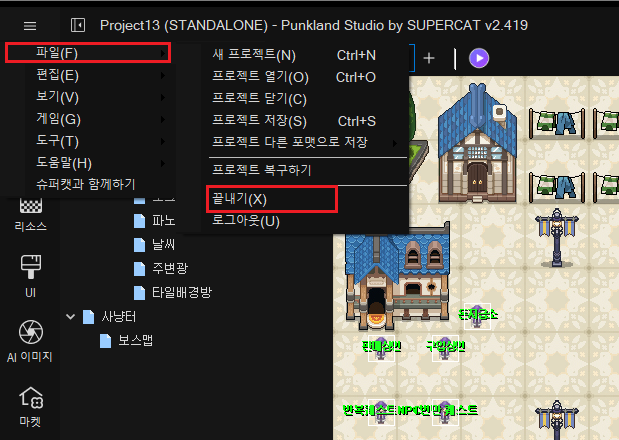
펑크랜드 스튜디오를 종료하려면 메인 메뉴 \[파일]에서 \[끝내기] 클릭으로 종료 가능합니다. 혹은 화면 오른쪽 상단의 X를 클릭해서 종료 할수도 있습니다. 아래 스크린샷 참조 바랍니다.
<figure><img src="/files/LoGbyRGfiZzzW2YbxygG" alt=""><figcaption></figcaption></figure>


---

# Agent Instructions: Querying This Documentation

If you need additional information that is not directly available in this page, you can query the documentation dynamically by asking a question.

Perform an HTTP GET request on the current page URL with the `ask` query parameter:

```
GET https://docs.punkland.io/punkland/punkland-studio/start/undefined-9.md?ask=<question>
```

The question should be specific, self-contained, and written in natural language.
The response will contain a direct answer to the question and relevant excerpts and sources from the documentation.

Use this mechanism when the answer is not explicitly present in the current page, you need clarification or additional context, or you want to retrieve related documentation sections.