> For the complete documentation index, see [llms.txt](https://docs.punkland.io/llms.txt). Markdown versions of documentation pages are available by appending `.md` to page URLs; this page is available as [Markdown](https://docs.punkland.io/punkland/punkland-studio/studio/undefined-4.md).
# 스튜디오 인터페이스
{% tabs %}
{% tab title="A" %}
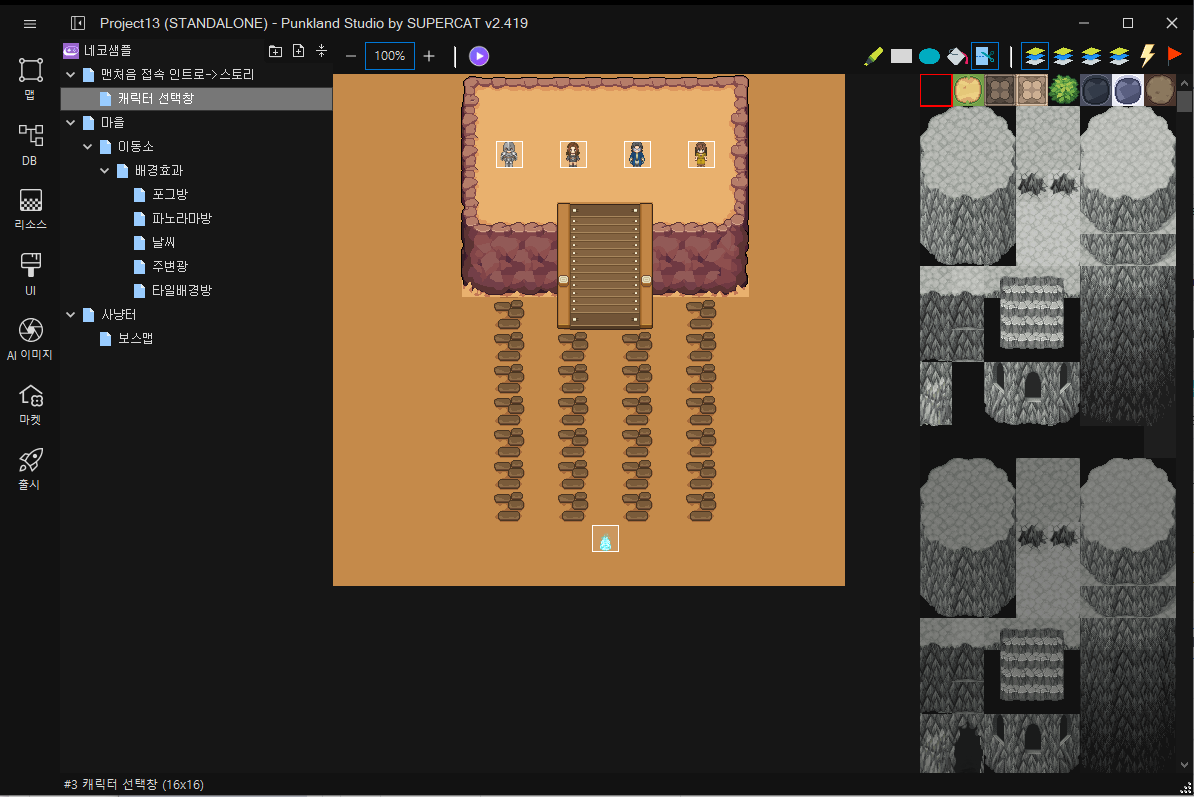
메인 메뉴
{% endtab %}
{% tab title="B" %}
Tool 바
{% endtab %}
{% tab title="C" %}
각종 타일이 표시 되는 곳 입니다.
{% endtab %}
{% tab title="D" %}
각종 맵을 생성하고 편집 할 수 있습니다.
{% endtab %}
{% tab title="E" %}
편집하고 있는 맵을 보여줍니다. 예를들면, \[캐릭터 선택창]을 편집할때 보여지는 화면은 아래와 같습니다.
{% endtab %}
{% tab title="F" %}
선택한 맵 이름, 선택한 맵 사이즈, 맵 표시 비율(1/1, 1/2, ¼) 이 표시 됩니다.
{% endtab %}
{% endtabs %}